
HOW PARENTS AND GRANDPARENTS CAN HELP KEEP KIDS SAFE ONLINE


Children are growing up in a world where the internet is part of everyday life. Games, social media, messaging apps, videos, and online learning can offer valuable experiences, but they can also expose children to inappropriate content, scams, privacy risks, and unwanted contact.
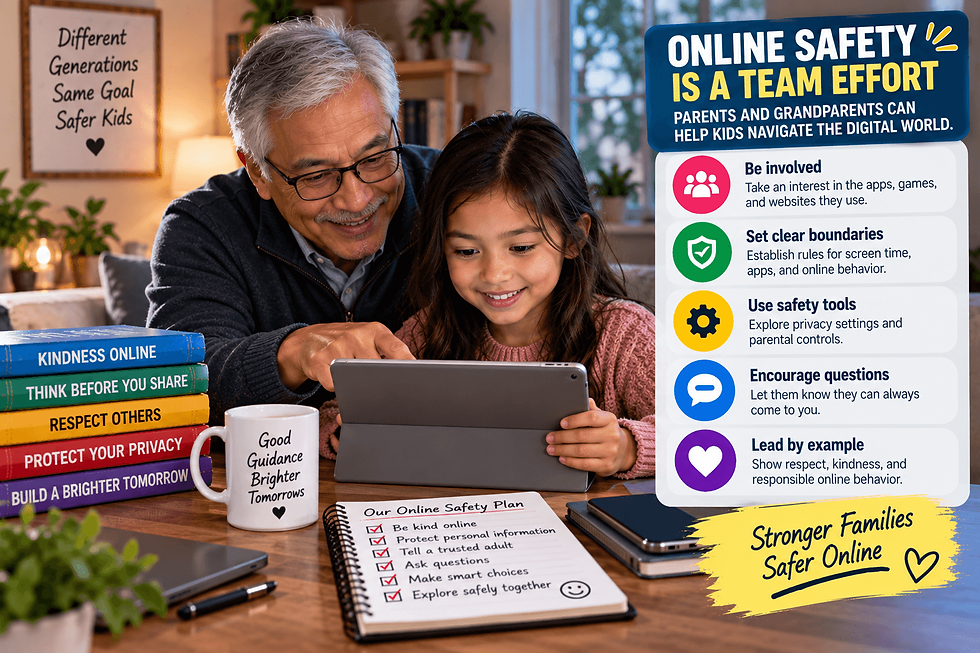
Parents and grandparents can play an important role in helping children develop safer online habits. You do not need to understand every new app or platform. Consistent conversations, clear boundaries, and an interest in what children do online can make a meaningful difference.
1. TALK ABOUT ONLINE SAFETY REGULARLY
Online safety should be an ongoing conversation rather than a one-time warning. Ask children about the games, websites, creators, and apps they enjoy.
Keep these conversations calm and approachable. Children may be more willing to mention something uncomfortable or confusing when they know they can ask for help without immediately getting in trouble.

2. TEACH KIDS TO PROTECT PERSONAL INFORMATION
Explain why certain information should not be shared publicly or with strangers online. This can include a home address, phone number, school, passwords, location, and other identifying details.
Help children understand that someone they meet online may not always be who they claim to be.
3. CREATE CLEAR RULES FOR DEVICES
Families can establish simple expectations about when, where, and how devices are used. Rules might cover screen time, approved apps, online purchases, messaging, and device use at bedtime.
Adjust these boundaries as children mature. Explain the reason behind the rules so they become part of learning responsible technology use.
4. REVIEW PRIVACY AND PARENTAL CONTROLS
Many devices, games, and online services include privacy or parental-control settings. These tools may help families manage purchases, communication, content access, and other features.
Review settings periodically because apps, devices, and children's needs can change. Controls work best when combined with conversations rather than being treated as the only safety measure.
5. TEACH CHILDREN TO RECOGNIZE SUSPICIOUS MESSAGES
Kids can encounter scams through games, social media, email, and messaging platforms. Teach them to be cautious about unexpected prizes, free in-game currency, suspicious links, and requests for passwords or verification codes.
Encourage them to ask a trusted adult before clicking something that seems unusual.
6. DISCUSS ONLINE FRIENDSHIPS
Children may interact with people they have never met offline. Explain that online profiles and conversations do not automatically prove someone's identity or intentions.
Make sure children know they should tell a trusted adult if someone asks for personal information, private pictures, secrecy, money, or an in-person meeting.
7. ENCOURAGE RESPECTFUL ONLINE BEHAVIOR
Online safety also involves how children treat other people. Discuss cyberbullying, hurtful comments, sharing someone else's pictures, and the lasting consequences of posting impulsively.
Encourage children to pause before posting or sending something they would not feel comfortable saying face-to-face.
8. KNOW WHAT TO DO WHEN SOMETHING GOES WRONG
Children should know they can come to a parent, grandparent, teacher, or another trusted adult when something online makes them uncomfortable.
Depending on the situation, adults can help block an account, save relevant evidence, report inappropriate behavior through the platform, change passwords, or seek additional help.

FINAL THOUGHTS
Keeping kids safer online requires more than monitoring their screens. It involves teaching them how to recognize risks, protect their privacy, make thoughtful choices, and ask for help.
Parents and grandparents do not need to know everything about technology to provide useful guidance. Staying involved, asking questions, and keeping communication open can help children build safer online habits that grow with them.
Comments