
How to Preserve Family Photos and Memories


Old family photographs have a way of bringing the past back to life. A faded wedding picture, a snapshot from a childhood vacation, or a photograph of relatives you never had the chance to meet can tell a story that might otherwise be forgotten.
But photographs, letters, home videos, and other family keepsakes do not last forever without a little care. Taking the time to preserve them now can help ensure that future generations have something meaningful to look back on.
Start by Organizing What You Have
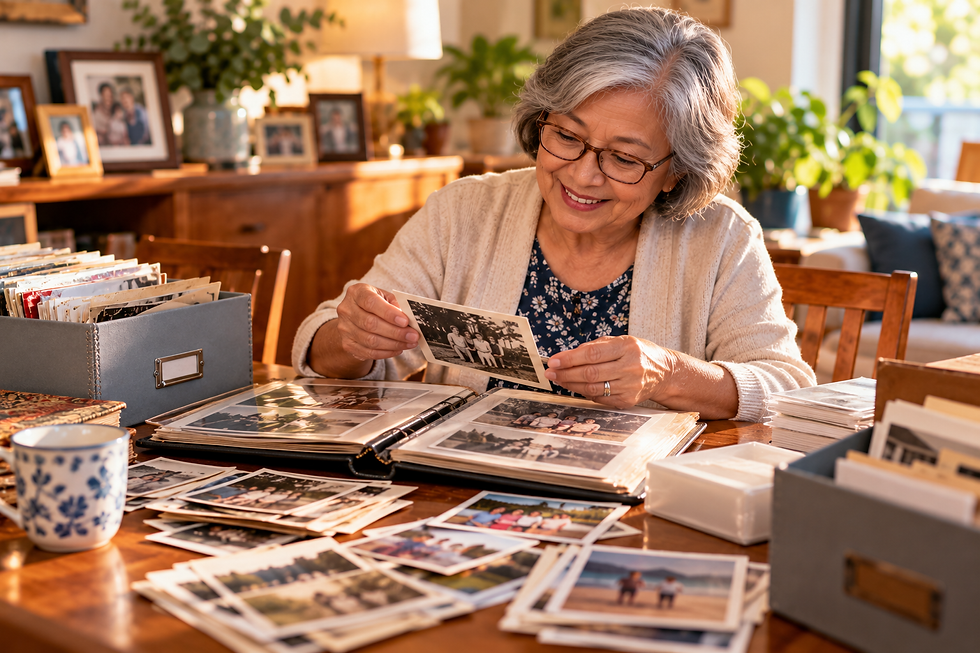
Before buying storage boxes or scanning hundreds of photographs, figure out what you are working with.
Gather family photos, albums, letters, documents, and other meaningful items in one place. You do not need to organize everything perfectly in one afternoon. Start with broad categories such as decades, family branches, events, or individual relatives.
As you sort, write down names, approximate dates, locations, and stories while someone in the family still remembers them. A photograph becomes much more meaningful when future generations know who is standing in it and why that moment mattered.
Protect Original Photos From Damage
Old photographs can be surprisingly fragile. Heat, moisture, direct sunlight, and improper storage may cause fading or deterioration over time.
Keep important photographs somewhere cool, dry, and away from direct sunlight. Consider using archival-quality photo boxes, albums, and sleeves instead of storing loose photographs in ordinary cardboard boxes.
Handle older photographs carefully and avoid writing directly on the front. If you need to identify people or dates, record the information separately or use an appropriate photo-safe method.
Create Digital Copies

Physical photographs can be damaged or lost, so creating digital copies gives your family another layer of protection.
You can scan photographs at home or use a professional digitization service for particularly important or delicate items. Organize the resulting files with clear names rather than leaving hundreds of images labeled with random numbers.
Consider creating folders by year, event, or family member. Most importantly, keep backups in more than one place, such as an external drive and a reputable cloud storage service.
Preserve the Stories Behind the Pictures

A collection of photographs is valuable, but the stories connected to them are what make a family history personal.
Ask parents, grandparents, aunts, uncles, and other relatives about the photographs while you look through them together. Record their memories with permission or write down the stories they share.
Ask simple questions. Who was there? Where was the photograph taken? What happened that day? What do you remember most? Those answers may eventually become just as precious as the photographs themselves.
Make Family Memories Easy to Share
Preserving memories should not mean locking them away where nobody sees them.
Create digital albums for relatives, print photo books, display copies of favorite photographs, or give family members collections of digitized images. You might even make looking through old photographs part of family gatherings.
The goal is not simply to protect pieces of paper or digital files. It is to preserve the people, stories, traditions, and everyday moments behind them.
Years from now, a grandchild or great-grandchild may open an album and discover a part of their family's story they never knew. Taking care of those memories today gives them the opportunity to do exactly that.
Comments